Small businesses frequently develop their IT infrastructure gradually. A few computers become a larger office network. Additional billing systems, communication equipment plus digital tools are introduced. Eventually, power continuity becomes increasingly important to routine operations.
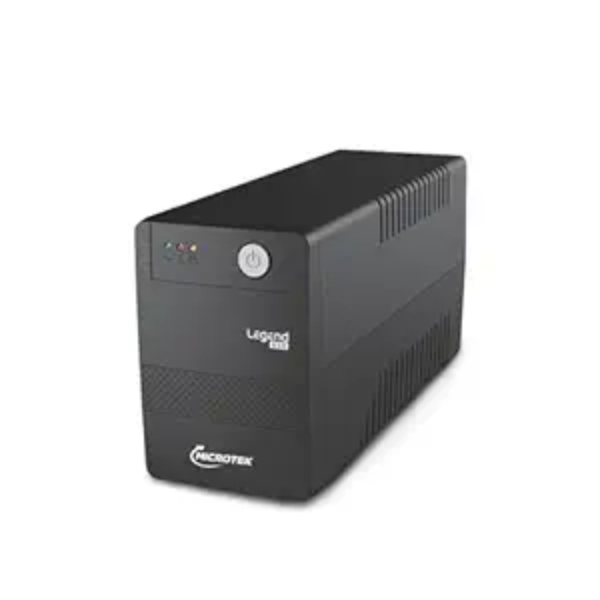
Businesses searching for a Microtek UPS Dealer in Delhi NCR should first determine exactly which systems need backup plus what level of continuity they expect.
Separate Essential Equipment
Begin by identifying equipment that directly affects operations.
Possible examples include
- Business computers
- Network equipment
- Communication systems
- Billing infrastructure
- Security equipment
- Selected IT devices
Keeping this list focused prevents non-essential loads from consuming backup capacity.
Establish the Total Load
Each device contributes differently to power demand.
A simple count of connected equipment does not provide enough information for UPS sizing.
Check power specifications where possible. A supplier can then evaluate the combined requirement against appropriate Microtek UPS options.
Define What Happens During a Power Failure
The desired response to an outage should be clear.
Should employees have time to save their work? Should network connectivity remain active? Is another power source expected to start shortly afterward?
These operational questions help determine both UPS capacity plus battery requirements.
Do Not Ignore Battery Performance
Battery condition directly influences available backup.
Even a correctly selected UPS cannot deliver expected runtime indefinitely if batteries have deteriorated.
Businesses should therefore include battery inspection plus replacement planning within their maintenance practices.
Think About the Installation Area
UPS equipment should be installed according to applicable product guidance.
Avoid unsuitable areas where excessive heat, moisture, dust plus restricted ventilation may affect equipment.
In Delhi NCR commercial premises with limited utility space, careful placement can also make servicing easier.
Avoid Random Equipment Additions
One common problem develops gradually after installation.
New equipment gets connected without anyone recalculating the load. Eventually, the UPS supports substantially more devices than originally planned.
Maintain a simple record showing what is connected to backup power.
When new equipment is introduced, reassess the load.
Check the Proposed Model Carefully
Brand selection is only the beginning.
Different products within a manufacturer's range can have different capacities, features plus intended applications.
Confirm relevant specifications for the exact model being considered. The selected equipment should match the load, electrical supply plus backup objective.
Purchase According to the Application
Archit Power Services supplies power backup equipment for commercial customers across Delhi NCR. Businesses looking for a Microtek UPS Dealer can make supplier discussions more productive by preparing load details, backup expectations plus information about the installation environment.
This approach helps shift the buying decision away from guesswork.
The objective is not simply to install a UPS. It is to create a backup arrangement that supports critical business equipment during interruptions while remaining practical to maintain as the organization grows.
Keywords